Deleting Features
The process of deleting a feature is the same in both the drawing layer and vector layer.
Prerequisites: In the following procedure steps, it is assumed that you have accessed a workspace page, selected a new or existing drawing layer or vector layer, and now you are ready to delete an existing feature.
To delete a feature, do the following:
-
Open a Workspace, click the Edit icon on the Analyst Tools, and then click the Select tool.
-
Select an existing feature on the map.
-
Click the Delete icon to permanently delete the feature. Repeat this step to delete other features on the map.
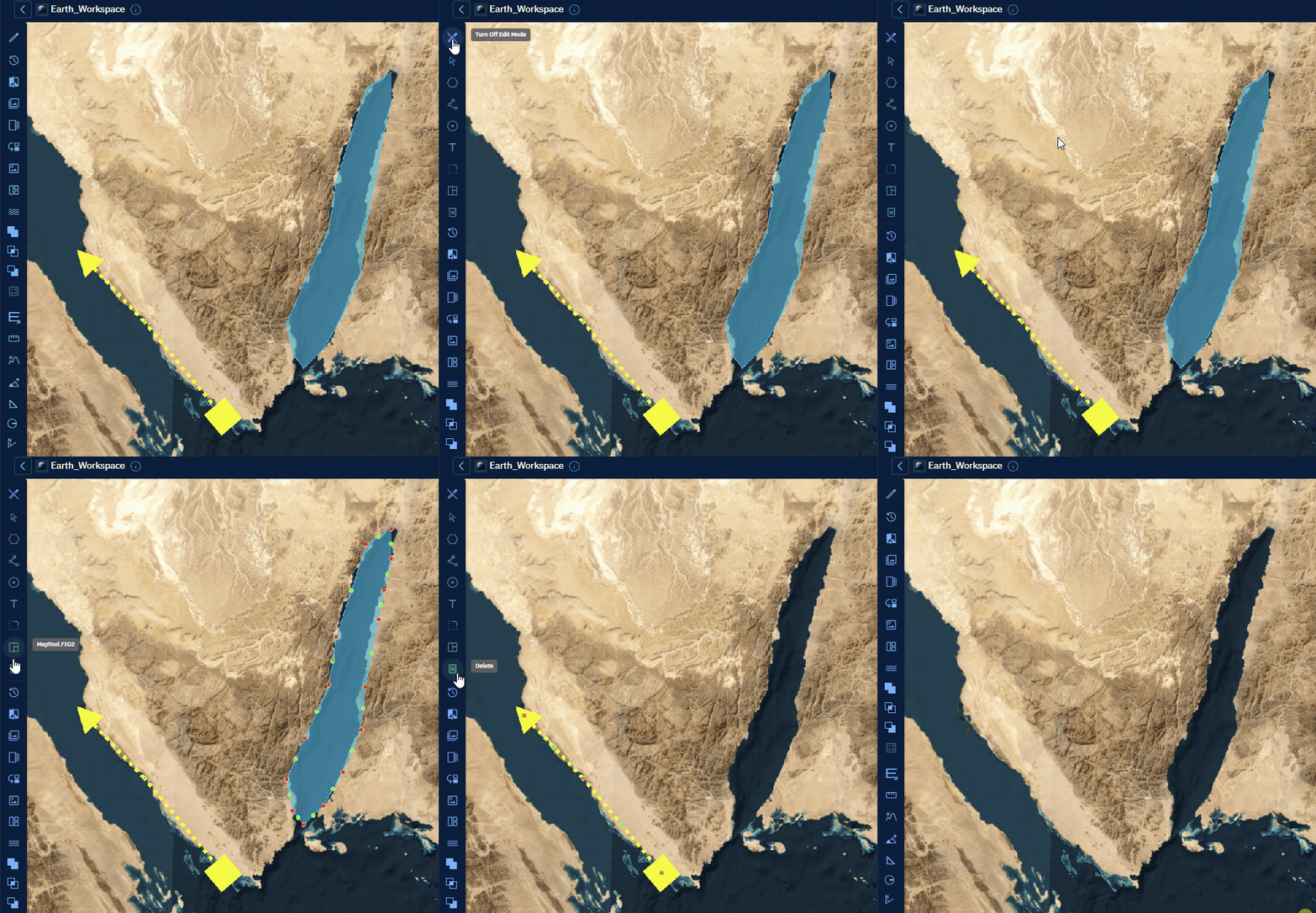
-
Click the Edit icon again to turn off the edit mode.
note
Once a feature is deleted, it cannot be retrieved.